Backlog: A Local-First Task and Context Manager for Humans and AI
I’ve been working with agentic AI for the past two years, and I kept hitting the same wall: managing the tasks and to-dos it generates. Moving what it learns between sessions. Improving a product without keeping one session open for days.
Keeping a session open for days builds up context, and I get billed for all of it on every request to Claude. Caching helps, but it’s still expensive. The agent forgets what happened, especially the small details, and there’s no real way to hold onto it.
What Backlog Is #
So I built Backlog: a local-first task database and queue for coding agents. You keep tasks, plans, project docs, and notes in Markdown, and it tracks the status of each one so they stop piling up as scattered files. Every task carries its own activity log, plans, lessons learned, and memory, all stored inside the project.
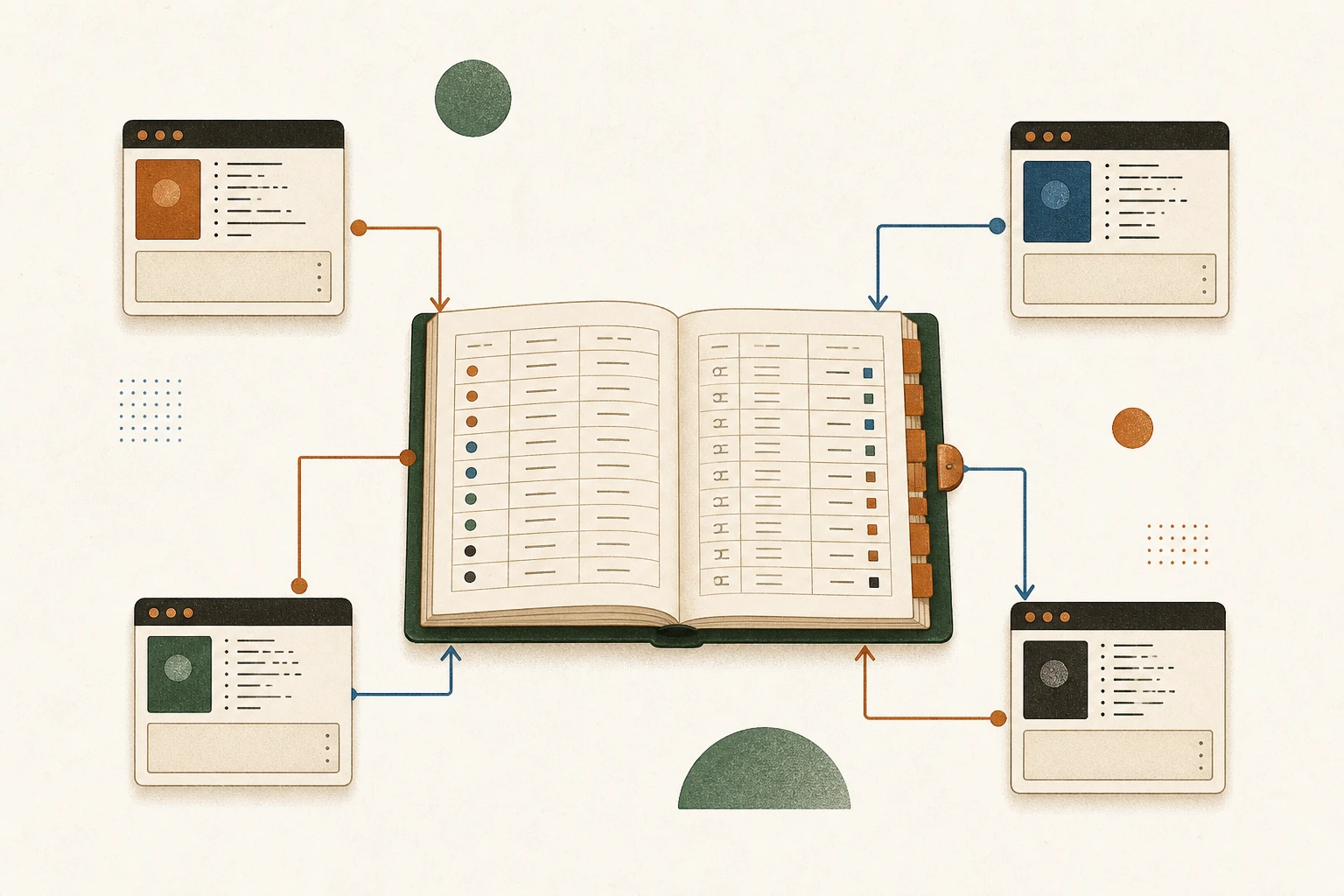
All the agents point at one database. Whatever they read, write, or comment on lands there, labeled with which agent did it.
It works with Claude Code, Cursor, Codex, OpenCode, and any other agent. A web UI shows what each one is working on and where its tickets stand. The agents leave comments the way a human engineer would, writing down what they changed and why.
How It Works #
I run a code review on a repository and it surfaces 40 changes. The review agent files a ticket for each one in Backlog. A second agent pulls them off the queue, makes each change, and comments on its ticket with what it did and what it learned.
At the end of a session, I have the agent run the /backlog-memory skill to store what it learned. The next session runs that same skill in learn mode, which pulls the project’s memory, open tasks, and plans straight from the database, so the agent gets current without re-reading the whole codebase.
I also built a skill, /backlog-enhance-tasks, that researches and updates items inside a ticket without me in the loop.
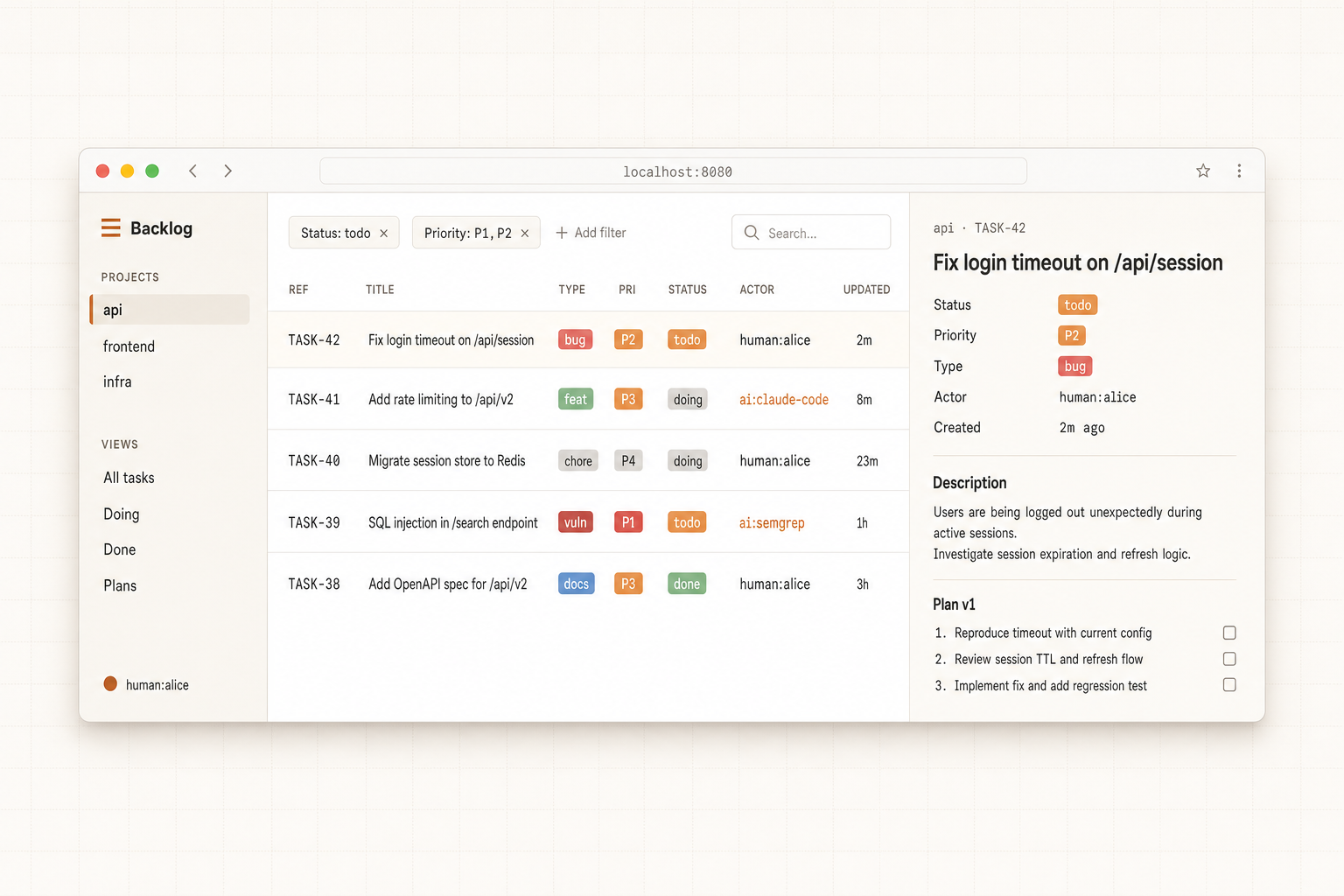
The database in a browser. My edits and the agents’ edits show up together, each one labeled with who made it.
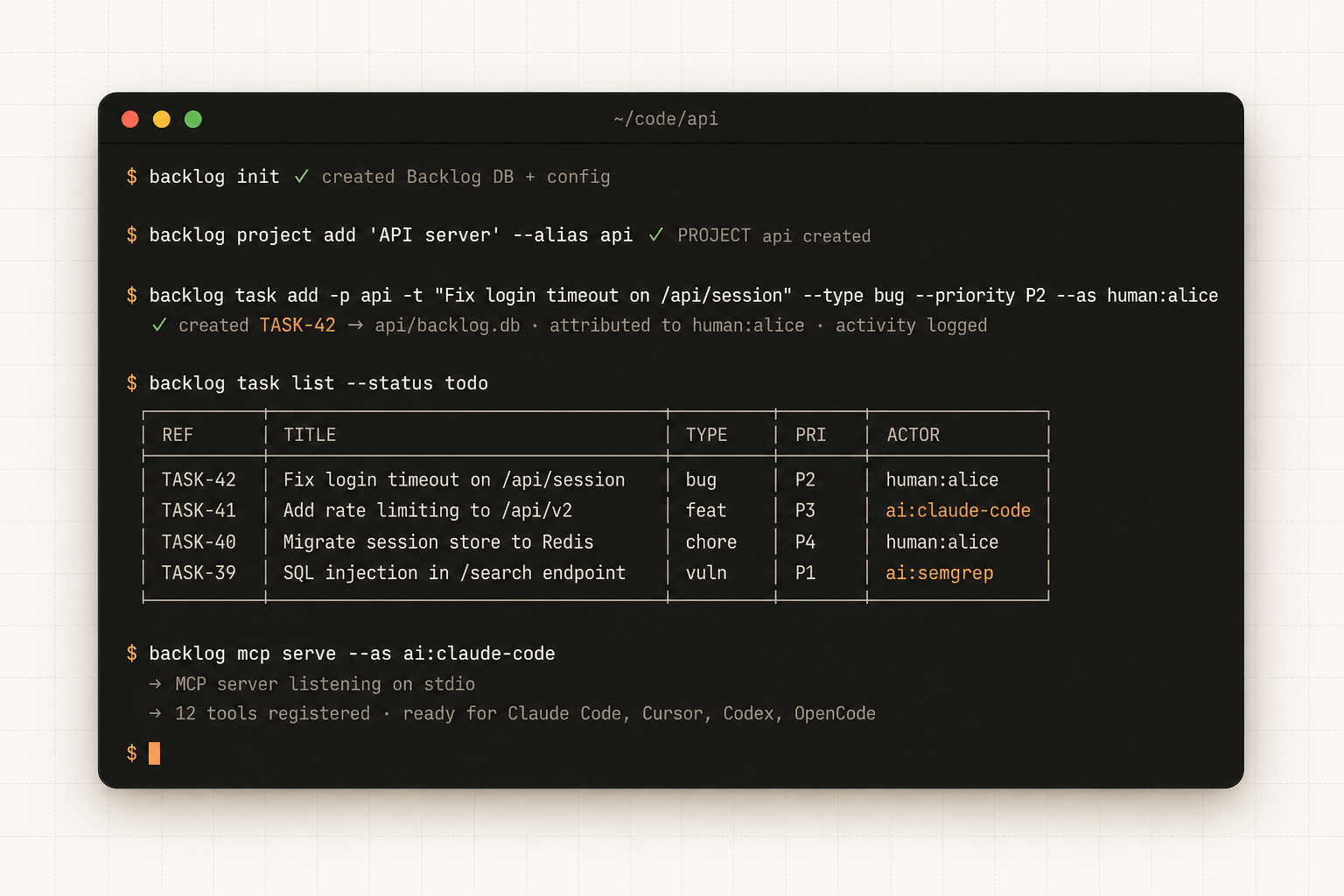
The shell view of the same board. Each command records who ran it, me or an agent.
How I Use It #
I’ve run Backlog for the past 30 days across internal projects. Each session now fits in under 50k tokens instead of the ~500k a long-running thread burns through, which works out to roughly 10x cheaper per task. The work goes faster too, because every agent starts from the same recorded context instead of rediscovering it each time.
A few of the ways I use it day to day:
- I don’t keep loose documentation files around anymore. Every doc lives inside Backlog.
- I run regular discovery and security reviews on my codebases, store the findings as tickets, and have another agent resolve them.
- I keep the memory of changes and lessons learned per project, attach it to the project, and trace it later.
- I use the UI to stay current on what the agents changed and decided across all my projects.
So where does all of that go when the session ends? If it stays in the chat, you’re left with the agent’s own summary, which never reaches your other agents or your next session, keeps no tasks, and isn’t structured enough to reuse anyway. If you dump it into CLAUDE.md, you get a flat file: no tasks, no history, no record of who changed what. Backlog puts it in one local database the agents write to as they work and you can query later. Install it, point an agent at it, and the next session picks up from what the last one wrote down.
Get Started #
go install github.com/mazen160/backlog/cmd/backlog@latest
backlog init
backlog install-skills
That installs the binary, creates the database, and drops a set of skills into Claude Code, Cursor, Codex, and OpenCode. From there your agent drives Backlog through those skills and the CLI directly. No MCP to configure, no server to keep running.
Then put the skills to work:
/backlog-memoryreads the project’s tasks, plans, docs, and memory into the session when an agent starts, and writes a fresh snapshot back when the work is done.- The
backlogskill lets your agent open and update tickets as it works (backlog task add,task move,comment add), and stamps each change with the agent that made it. /backlog-enhance-tasks TASK-Nfleshes out a thin ticket’s title and description, and drafts a plan when you ask for one./backlog-loop <project>pulls the top task and iterates on it until a reviewer sub-agent agrees it’s actually done./backlog-goal <goal>takes a whole goal, breaks it into tickets, and works the board end to end.